
Autopilot
A Redis cache for WordPress that sets itself up and checks itself.
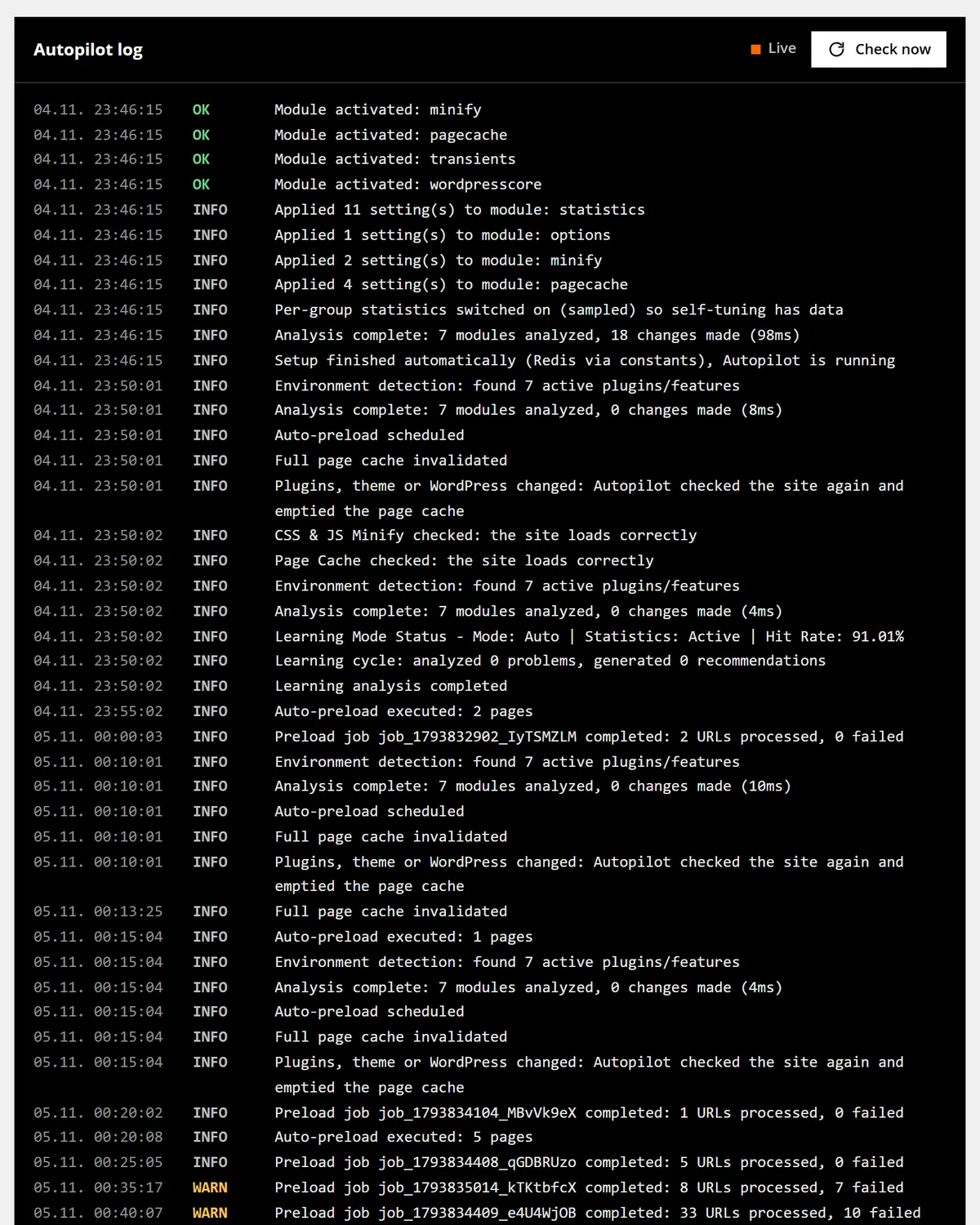
Autopilot finds Redis, installs the drop-in and switches on the modules that fit your plugins. 30 seconds after every plugin, theme or WordPress update it analyses the site again, and an hourly check repairs the drop-in.
Most cache plugins wait for settings. Autopilot starts with the ones that fit.
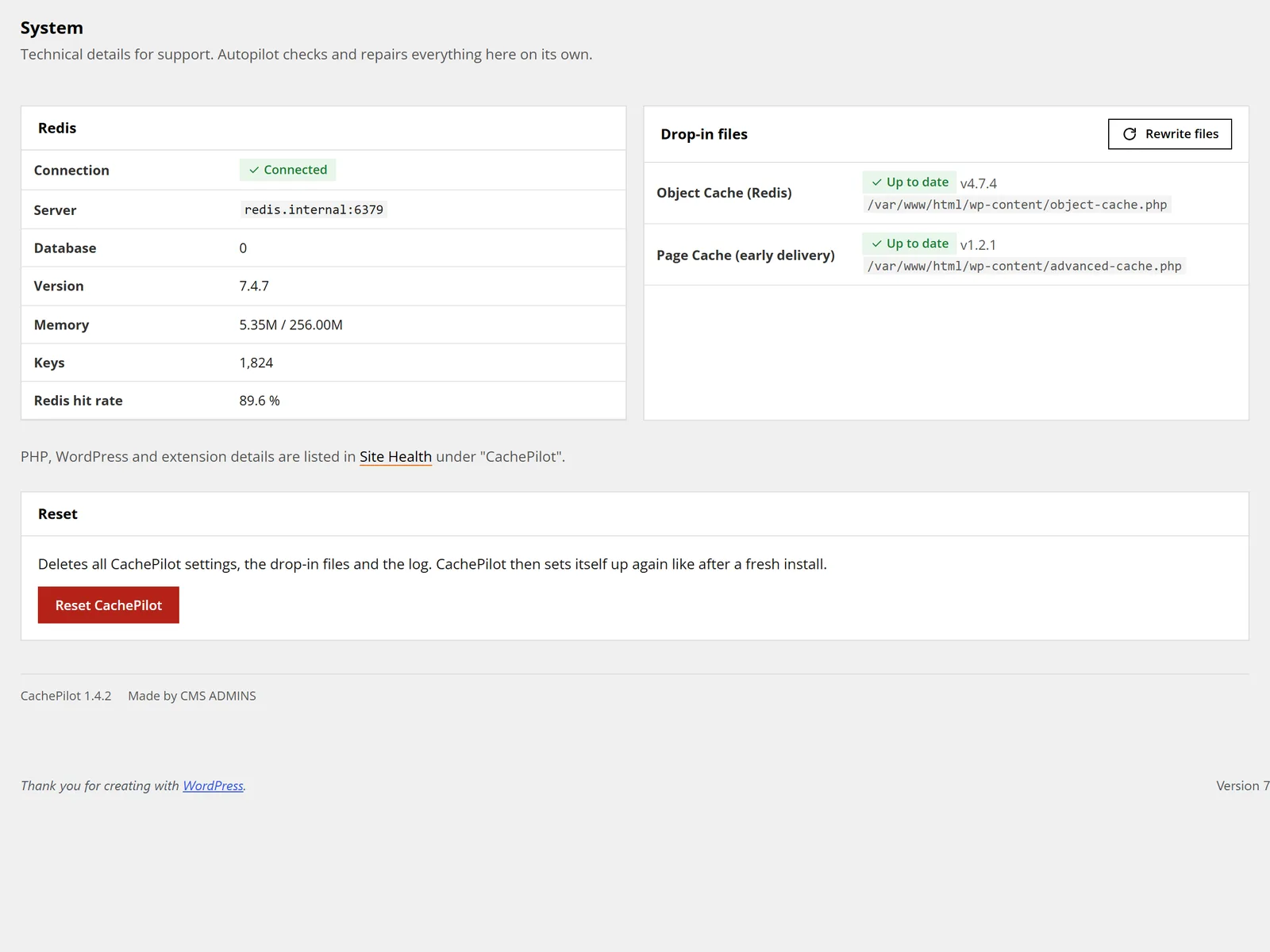
On activation CachePilot tries the usual places for Redis in a fixed order. A connection form appears only when no server answers.
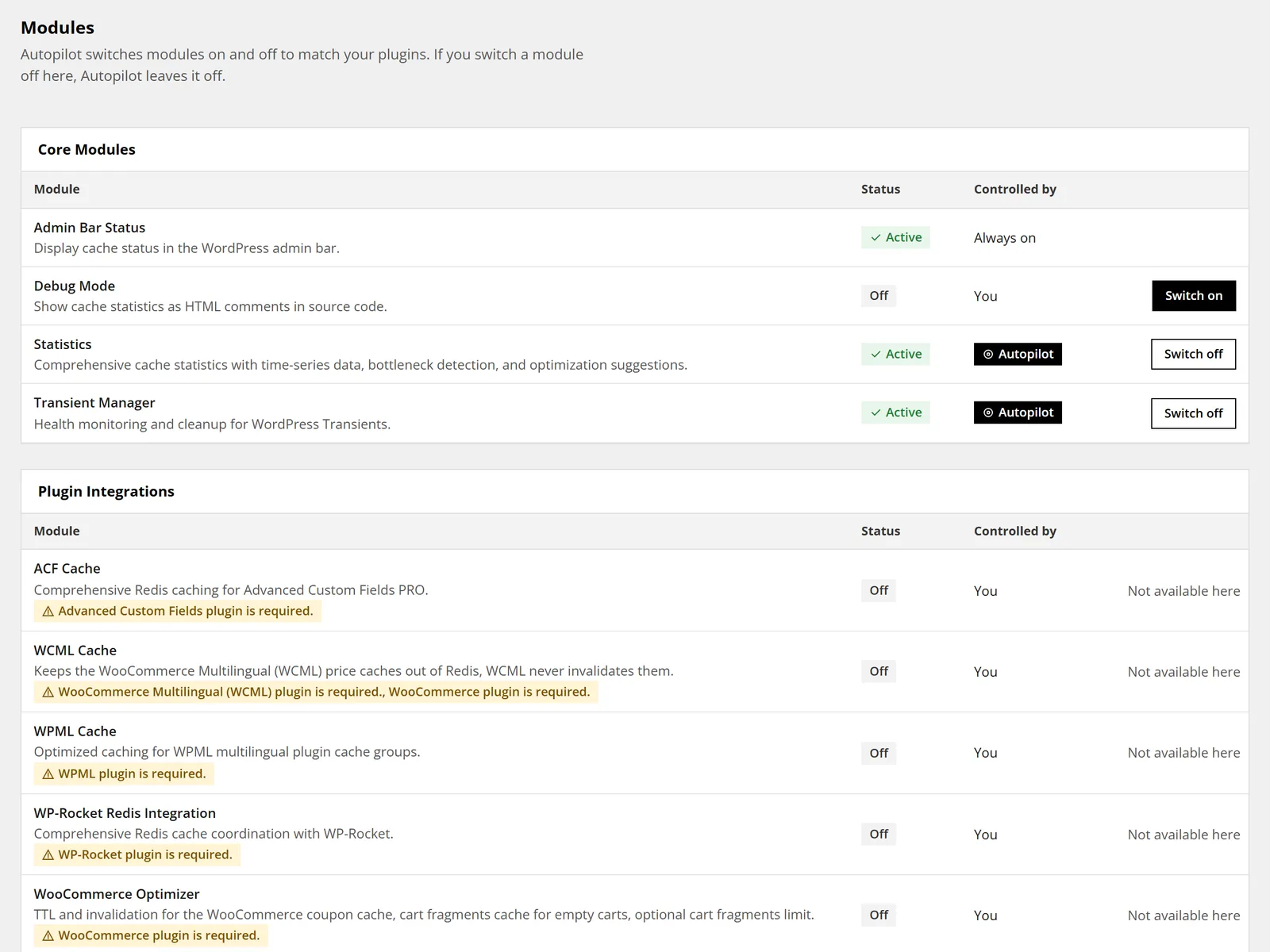
Then it reads which plugins are active. WooCommerce, ACF, WPML, WooCommerce Multilingual and WP Rocket each get their own module. Modules you switch off stay off.
Every decision lands in the Autopilot log, so you can see later what changed and why. Read the getting started guide.
How Autopilot runs, from activation to the weekly report
Five steps, the same on a blog and on a shop with many plugins.
It finds Redis
Constants in wp-config.php first, then REDIS_URL, REDIS_HOST, common Unix sockets, 127.0.0.1 and localhost. Inside a container it also tries the host name redis.
It switches on what fits
Modules for WooCommerce, ACF, WPML, WCML and WP Rocket follow the active plugins. Page Cache starts only when no other page cache plugin runs, Minify only when no other plugin minifies.
It checks its own work
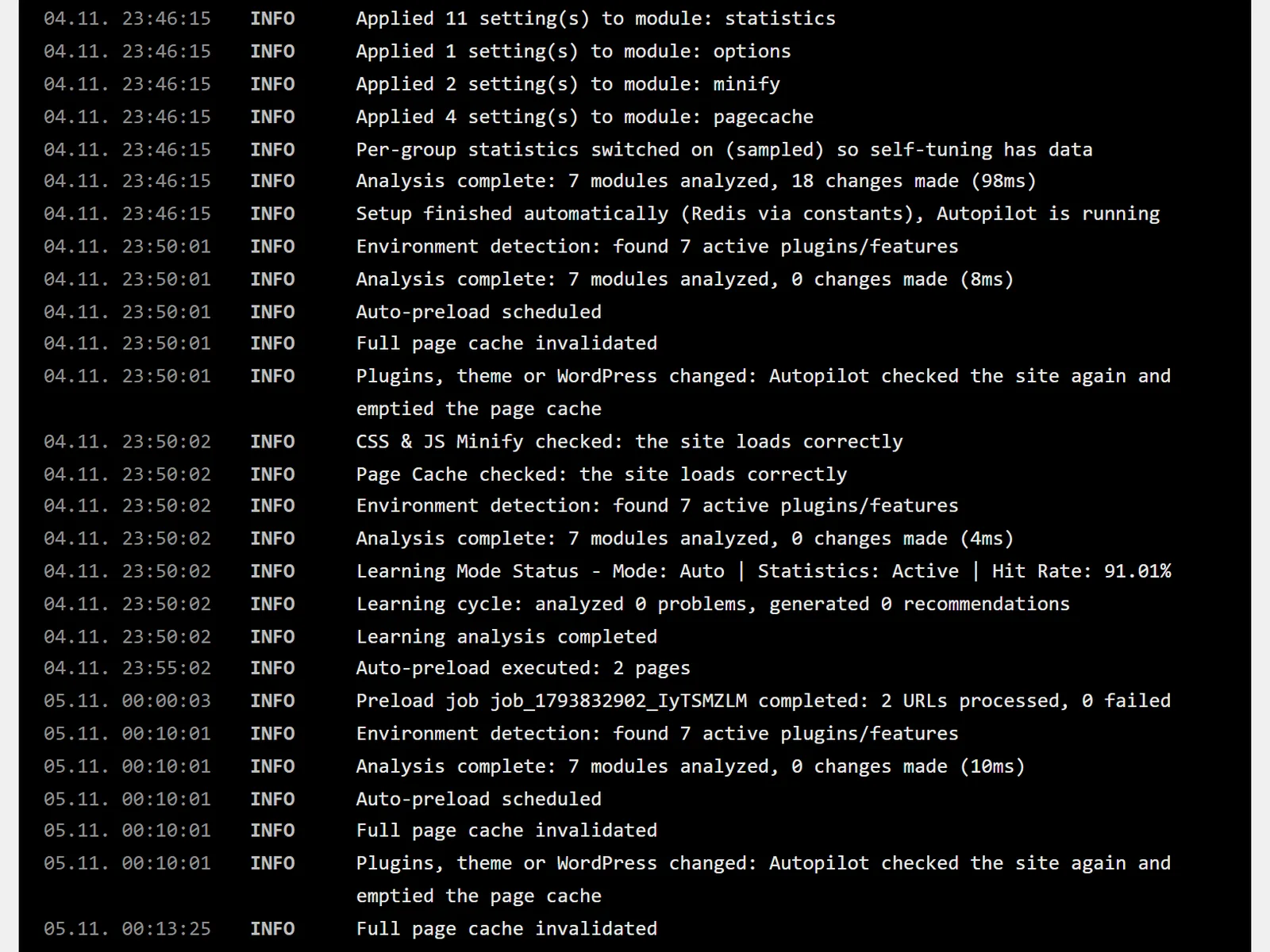
One minute after Autopilot switches on Page Cache or Minify, it loads the front page and the newest post twice. A server error or a cut page switches the module off again.
It re-checks after changes
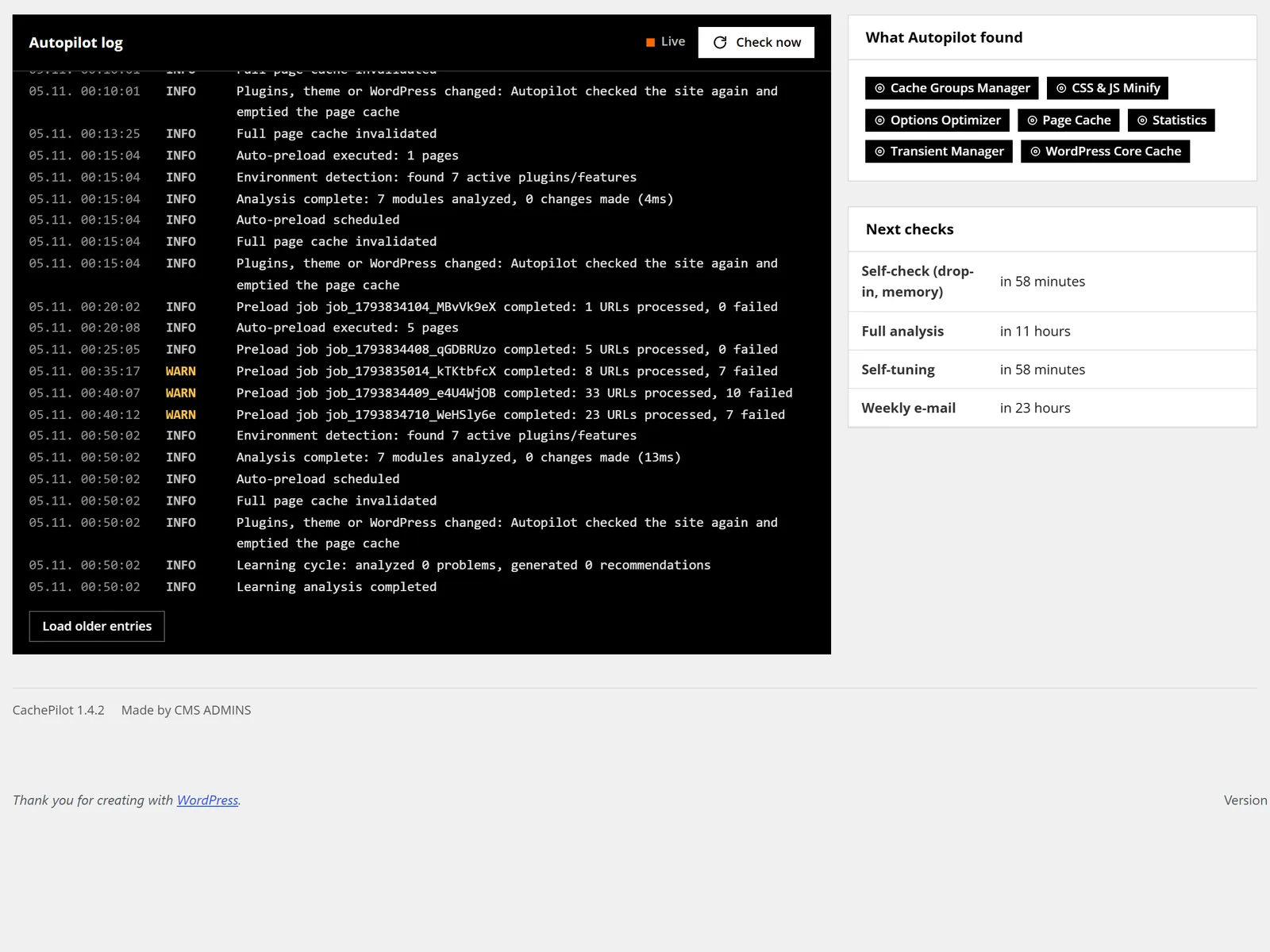
30 seconds after a plugin, theme or WordPress update Autopilot analyses the site again and empties the page cache. Every hour it repairs a missing or outdated drop-in and warns when Redis memory is full.
It reports when it matters
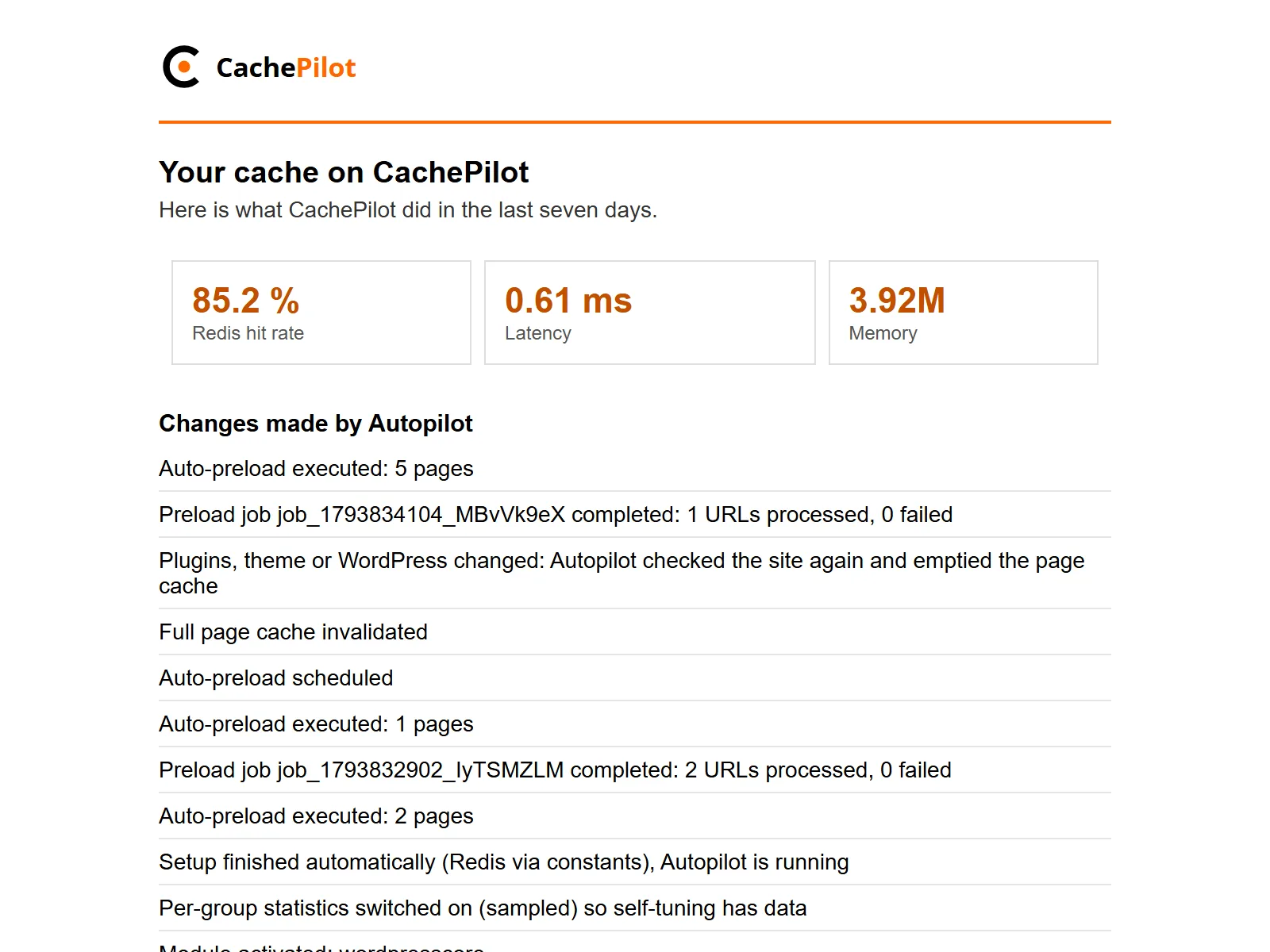
A short weekly e-mail goes to the site admin, only when Autopilot changed something or a problem needs attention. You can turn it off under CachePilot, Settings.
The Autopilot log, entry by entry
Every decision of Autopilot is written to a log in the admin. The video has no sound; the transcript below holds the text of every scene.
Transcript of the video
- CachePilot, Autopilot: right after activation the live log shows the first entries.
- The setup entry: setup finished automatically, Redis found, Autopilot is running.
- Entries for each module Autopilot switched on.
- A plugin is updated on the Plugins page. 30 seconds later Autopilot analyses the site again.
- The log shows that Autopilot checked the site again and emptied the page cache.
Autopilot or Expert mode
Both modes run the same modules. They differ in who decides.
Expert mode
You decide every module
Expert mode leaves every module and cache group to you. Fields that Autopilot controls become editable.
- Every module and cache group by hand
- Lifetimes from each module’s own table, capped at its maximum
- The same WP-CLI commands
- The log keeps recording changes
Autopilot
Default
CachePilot decides with tested values
Autopilot detects your plugins, runs the matching modules with tested settings and keeps checking the site.
- Modules follow the active plugins
- Re-check after every update
- Safety check for Page Cache and Minify
- Your own switches and settings stay as they are
Questions about Autopilot
What Autopilot does, what it leaves alone and how to stop it.
Can I switch a module off while Autopilot runs?
Yes. Modules you switch off by hand stay off in Autopilot mode, and Autopilot does not overwrite settings you changed.
What happens when Autopilot finds no Redis server?
The Overview shows a connection form for host, port and password. You can also set WP_REDIS_HOST, WP_REDIS_PORT, WP_REDIS_PASSWORD and WP_REDIS_DATABASE in wp-config.php.
Does Autopilot switch on the page cache everywhere?
Only when no other page cache plugin is active, and never in a Multisite network. In a network you switch the page cache on by hand.
What does the safety check load?
The front page and the newest post, each twice, as an anonymous visitor. With Minify it also loads up to 40 of the minified files. Temporary errors like 503 do not count.
Can I turn off the weekly e-mail?
Yes, under CachePilot, Settings. In a network one e-mail covers all sites.
Beta
Let Autopilot set up your next site.
Join the beta, install the ZIP from your account and read the log afterwards. The getting started guide walks through it.