
Page cache
A WordPress page cache served from Redis before WordPress loads.
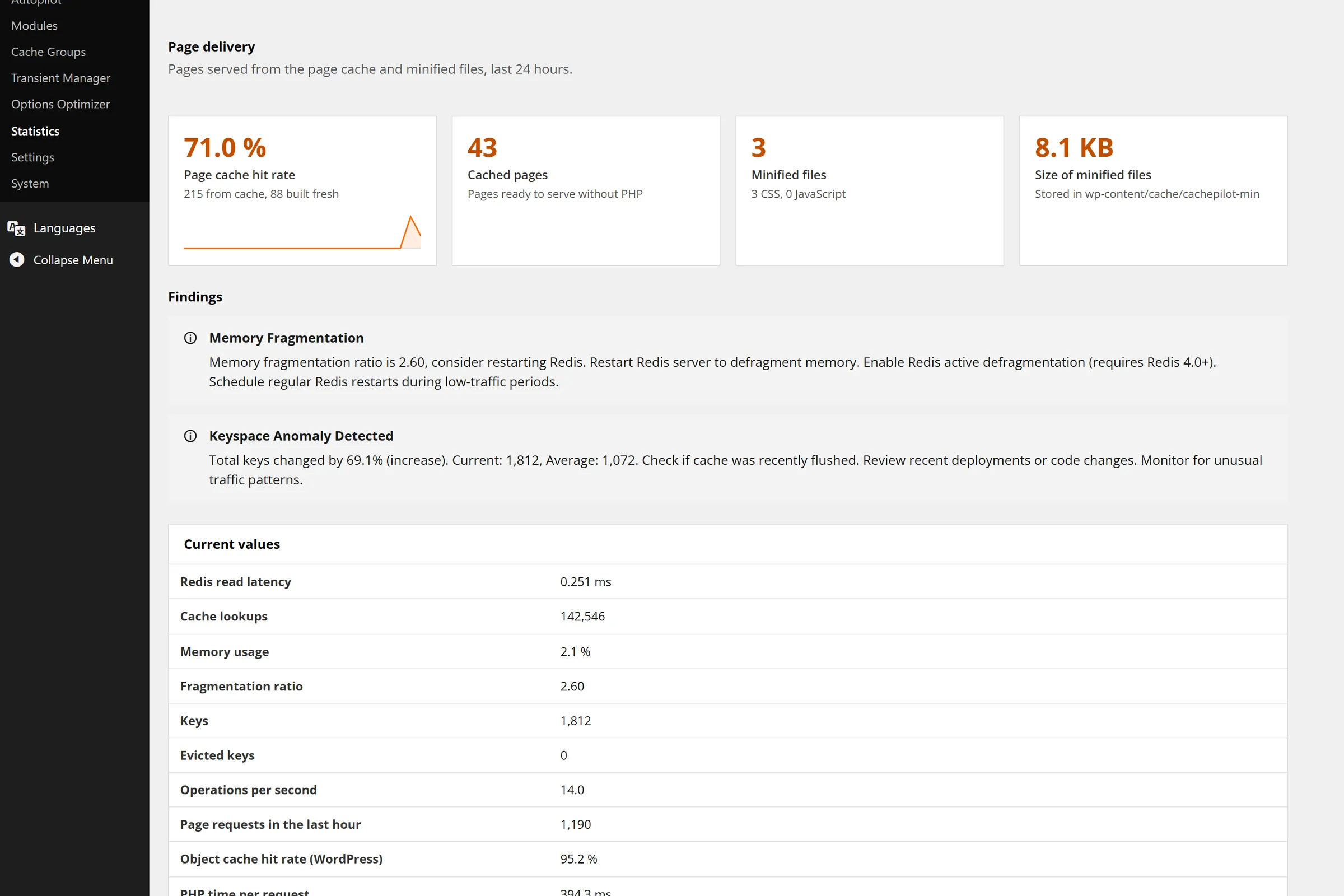
CachePilot stores HTML pages for anonymous visitors in Redis and serves them through advanced-cache.php, before plugins and theme load. In a live WooCommerce store a cached page answered in 33 to 54 ms.
The way of a request through the page cache
01
The key
advanced-cache.php builds the key from host and path, the sorted filter and sort parameters, the mobile variant and currency or language cookies.
02
The bypass
Logged-in visitors, wp-admin, the REST API, feeds, search, POST requests and pages with more than 6 parameters go straight to WordPress.
03
The hit
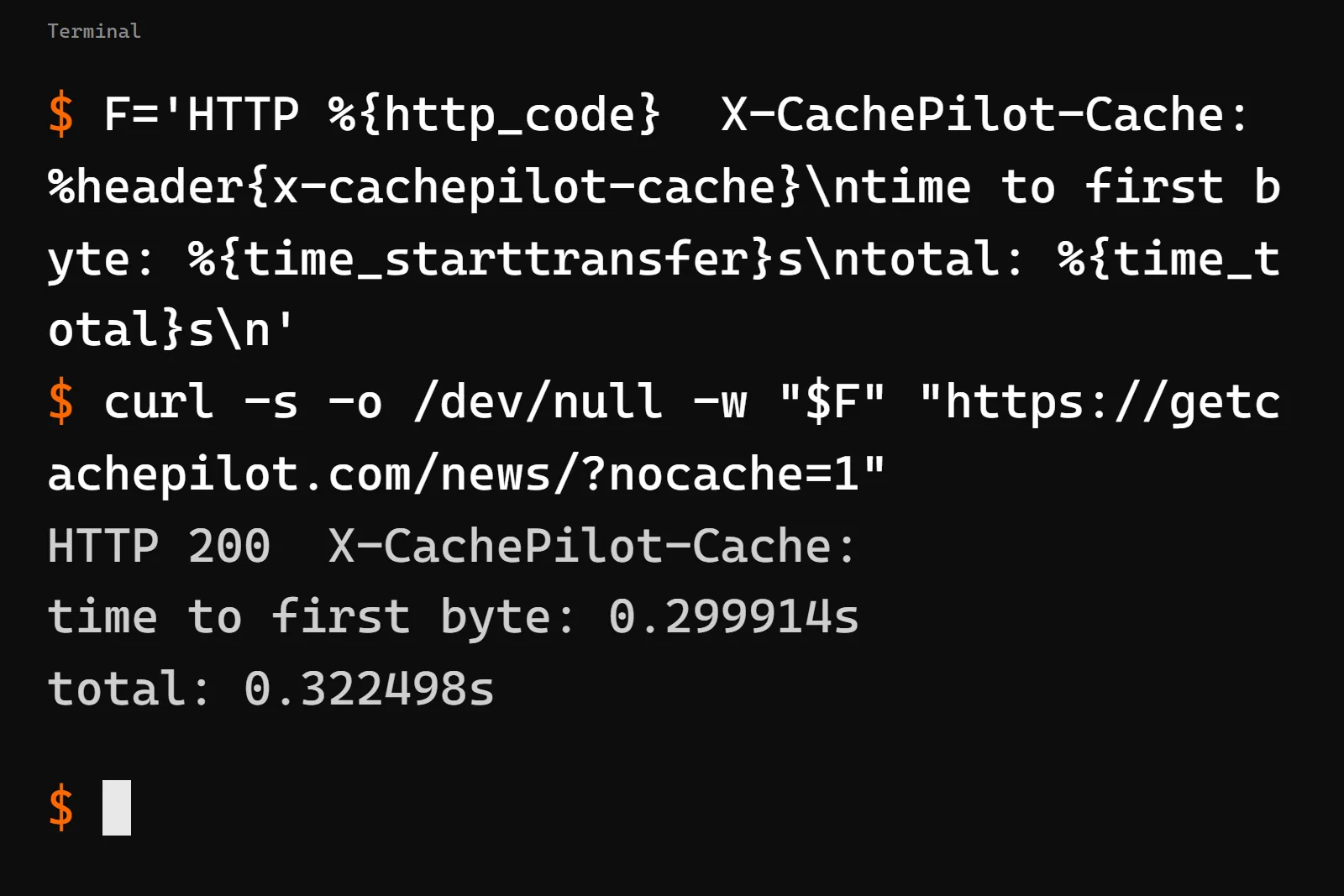
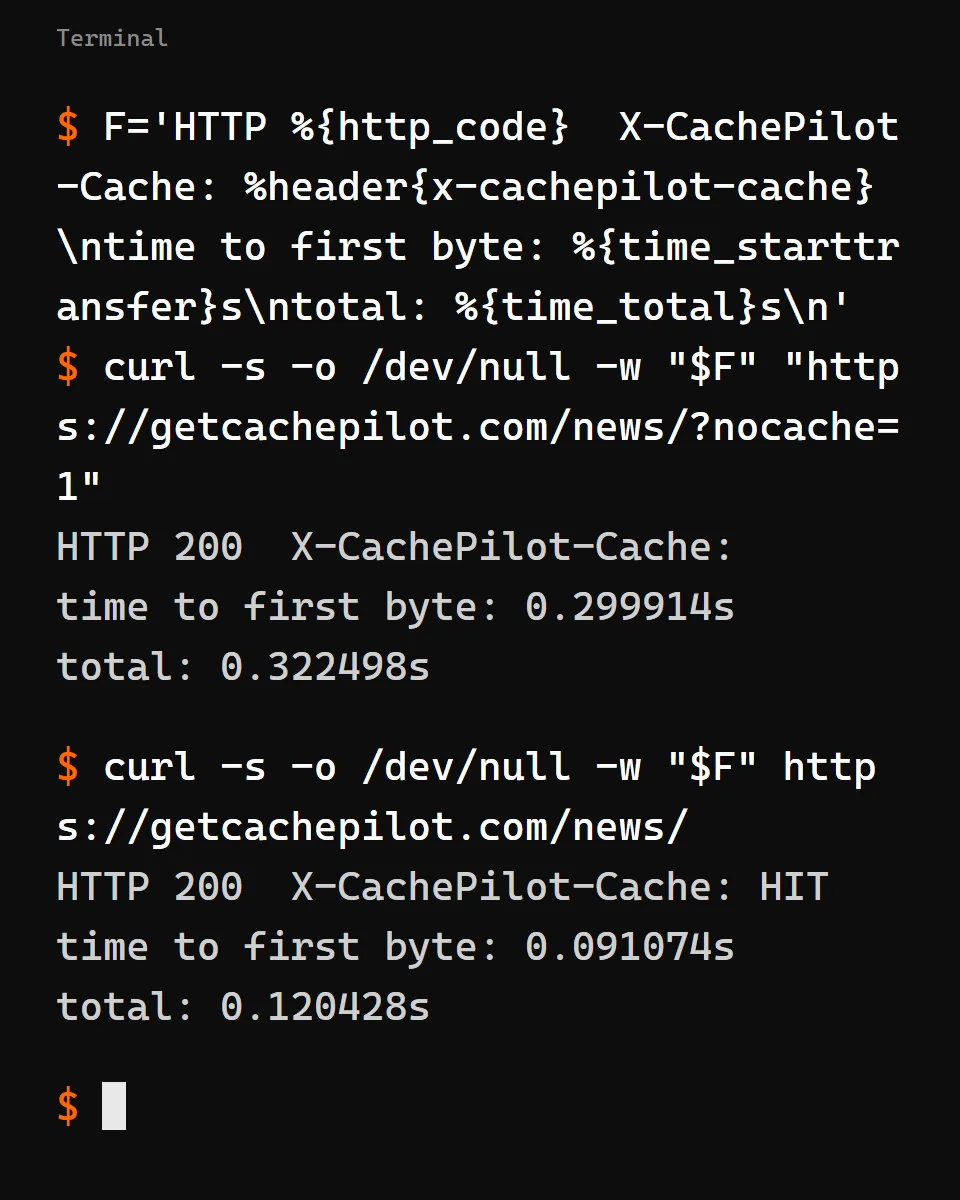
A stored page goes out with the header X-CachePilot-Cache: HIT and an ETag. A browser that has the page gets a 304.
04
The miss
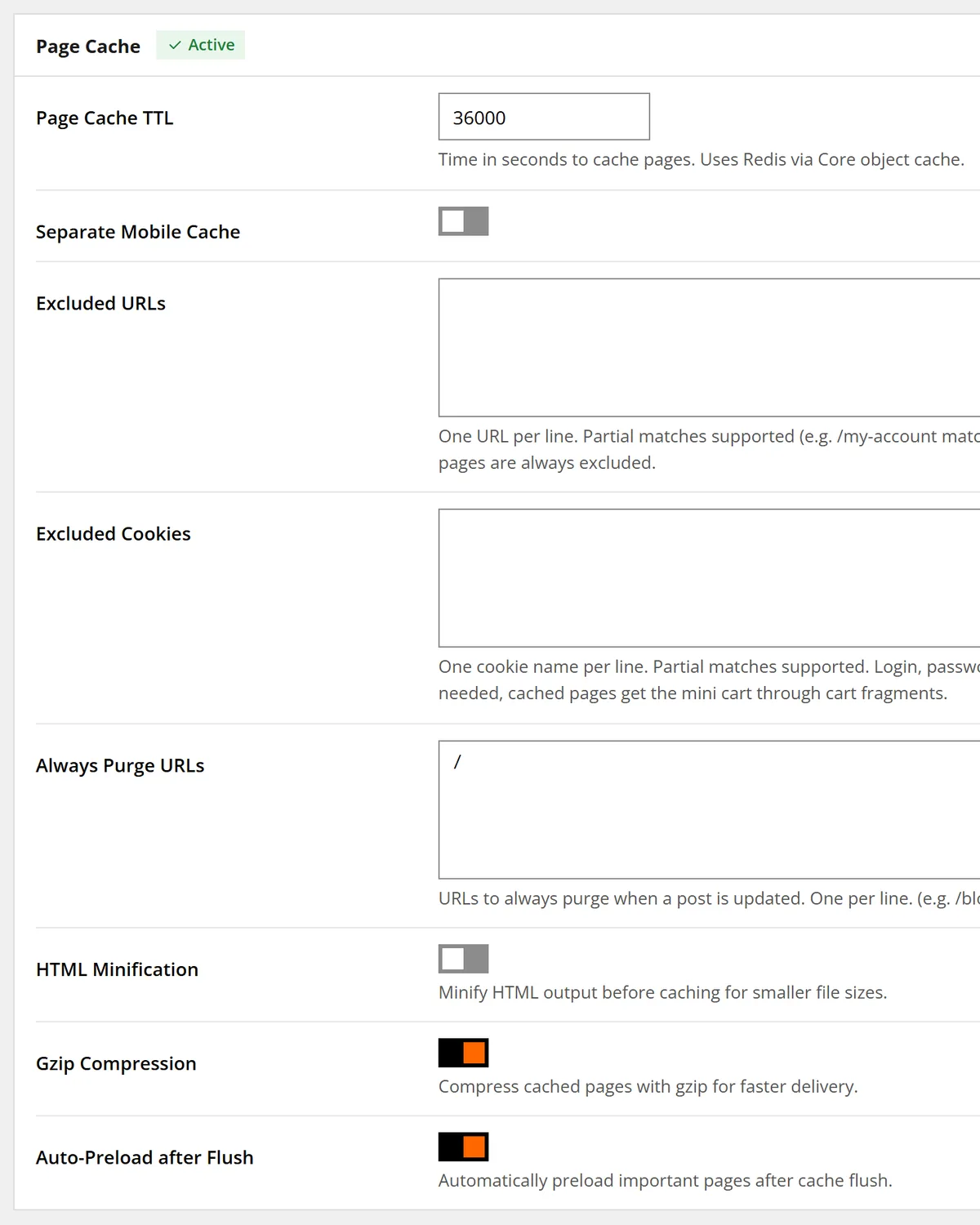
WordPress renders the page and CachePilot stores it for at most 12 hours. Autopilot sets 10 hours.
The same page, rendered and served from the cache
Two waterfalls of one page from the test installation, taken with the developer tools of the browser.
A fast page that shows yesterday’s cart is worse than a slow one.
That is why CachePilot never stores pages rendered for a visitor with a WooCommerce session, pages with location-based tax prices, search results, 404 pages or incomplete HTML.
Purged when content changes, preloaded when it is gone.
Saving a post purges the page with its archives, terms, pagination, author and date pages. With auto preload on, purged pages are fetched again after 30 seconds.
Questions about the page cache
What gets cached, what never does and how to check it.
Which pages does CachePilot never cache?
Pages for logged-in visitors, wp-admin, the REST API, feeds, embeds, XML and XSL files, robots.txt, search results, 404 pages and incomplete HTML.
What happens with tracking parameters like utm_source?
CachePilot leaves 61 tracking parameters and prefixes out of the key, from utm_* to gclid, fbclid and msclkid. The page is served from the same entry.
How do I see whether a page came from the cache?
Request the page without being logged in and look for the response header X-CachePilot-Cache: HIT, for example with curl -sI.
Does it work with another page cache plugin?
If another plugin owns advanced-cache.php, CachePilot keeps its hands off it and leaves its own page cache off.
Does Autopilot switch on the page cache in Multisite?
No. In a network you switch it on by hand for each site.
Beta
Serve your pages before WordPress loads.
Join the beta and check the header of your own pages. The troubleshooting guide explains every bypass.