
Minify CSS and JavaScript and slim down autoloaded options in WordPress.
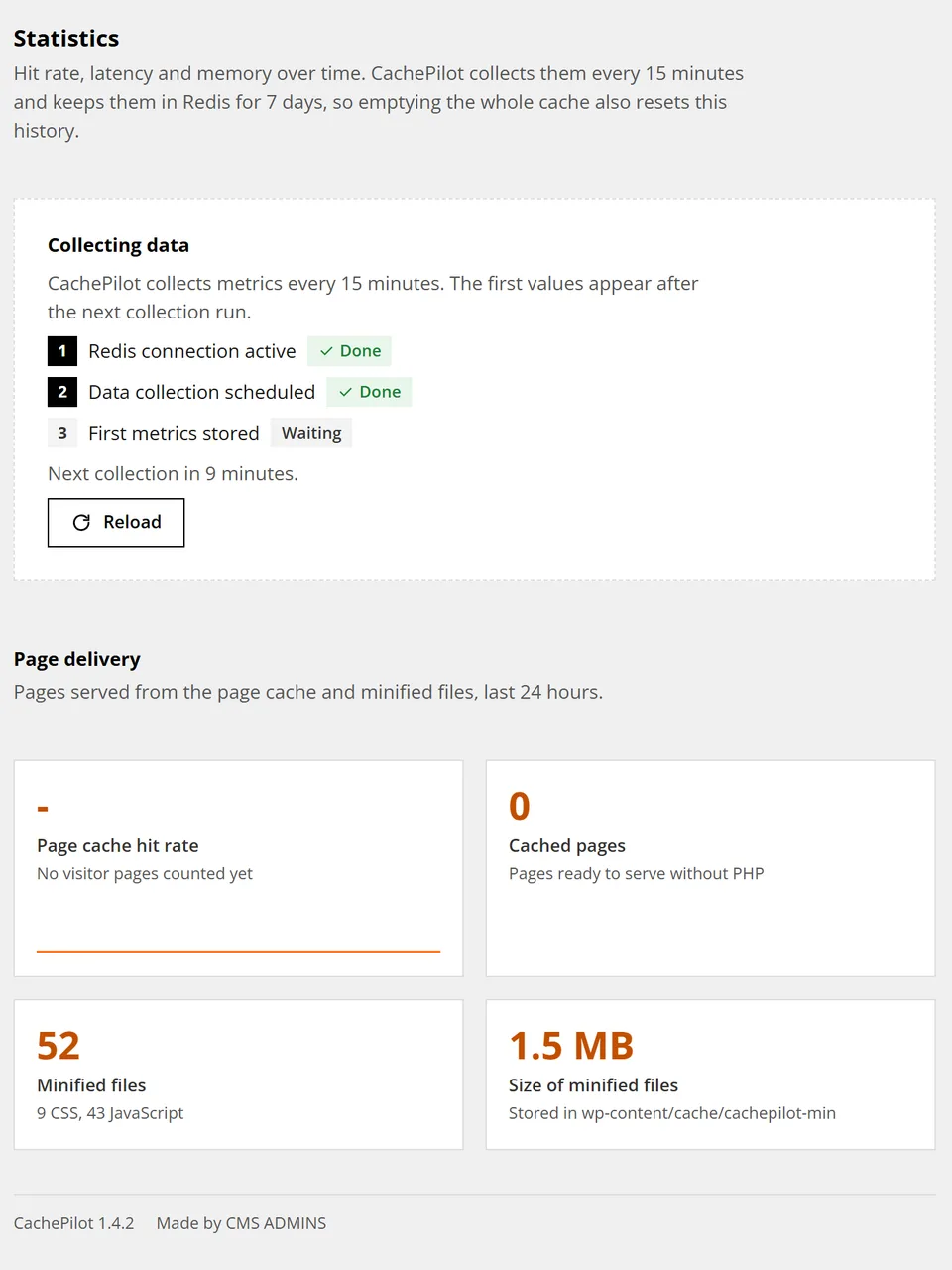
Two CachePilot modules cut what every request carries. Minify serves minified copies of your local stylesheets and scripts. The Options Optimizer stops loading options larger than 10 KB on every request.
Minify
Minified, never combined.
With HTTP/2 and HTTP/3 the browser loads many files in parallel over one connection. CachePilot minifies each file and keeps it separate.
Combined files grow the bytes a page does not need, and one changed file invalidates the whole bundle in every browser cache. Separate files stay cached on their own.
Each copy is named after path, modification time and size, so a changed file never serves a stale copy. Relative url() and @import references are rewritten. ES modules, self-locating scripts and code the minifier cannot handle safely keep their original file.
The Options Optimizer at a glance
Open a number to see what each part of the screen does. On a phone the notes follow the picture as a list.
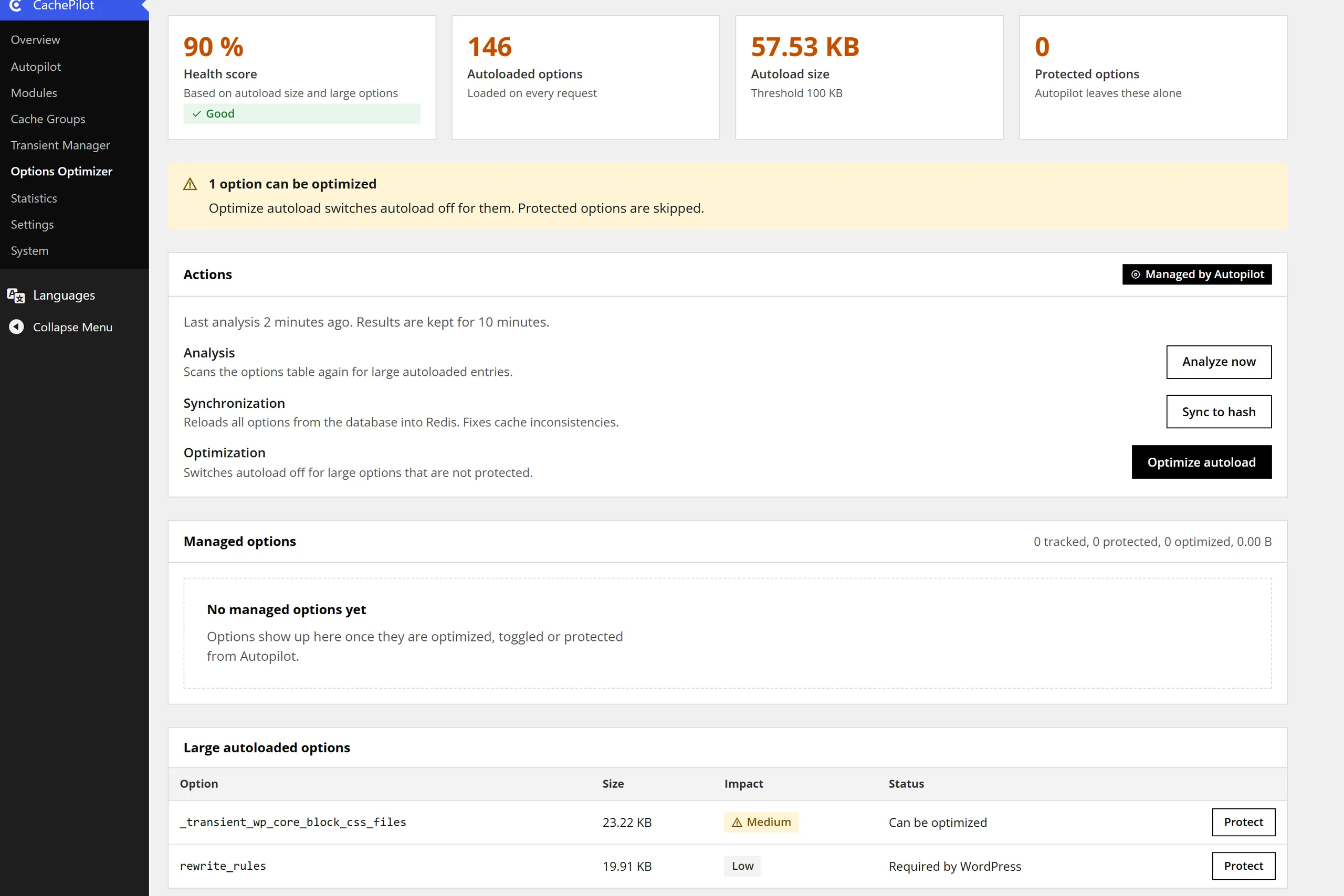
Autoload size
The total size of all autoloaded options. The analysis flags a total above 100 KB. How CachePilot reads options
Large options
Every autoloaded option larger than 10 KB, with its size. Thresholds in the documentation
Exceptions
Options you protect stay autoloaded. Core options of WordPress are never touched. What Autopilot leaves alone
Log
Every option Autopilot stopped loading is written to the log with its size. See the Autopilot log
Both modules
What Minify and the Options Optimizer do, side by side.
Choose a module to see only its features.
Features by module 8 features
Local files only
Stylesheets and scripts of your own site; files of other hosts stay as they are.
Minify
Short time budget
A request spends at most 0.3 seconds on missing copies; the rest follows on the next request.
Minify
Steps aside
Autopilot leaves Minify off when WP Rocket, Autoptimize, LiteSpeed Cache or another minifier runs.
Minify
HTML only
Responses that are not HTML are never rewritten.
Minify
Large options found
Options above 10 KB that load on every request are listed with their size.
Options Optimizer
Autoload switched cleanly
Changes go through wp_set_option_autoload(), including options WordPress 6.6 and later autoloads with auto.
Options Optimizer
Core options protected
Options WordPress needs on every request are never switched off.
Options Optimizer
Analysis cached
The analysis is kept for 10 minutes, so the admin stays fast.
Options Optimizer
The safety check after Minify
How Autopilot tests a module it has just switched on. The video has no sound; the transcript below holds the text of every scene.
Transcript of the video
- CachePilot, Modules: Autopilot has switched on CSS and JS Minify.
- One minute later the safety check starts as a scheduled task.
- It loads the front page and the newest post twice, as an anonymous visitor.
- It requests the minified files the page references, up to 40 of them, as this curl does.
- All files answer. The log says: CSS and JS Minify checked, the site loads correctly.
- If a file had failed, the log would show the file and Minify would be off again.
Beta
Lighter requests without new settings.
Join the beta and let Autopilot decide whether Minify fits your site. The benchmarks show what the cache does on a live shop.