A page cache for WooCommerce must never store a page that belongs to one visitor: pages for logged-in users, pages rendered with a WooCommerce session or a filled cart, cart, checkout and account, responses that set a cookie or are marked private, search results, 404 pages and feeds. Everything else can be cached, as long as filter parameters enter the cache key, tracking parameters do not, prices are purged when they change and no page is older than 12 hours.
This guide goes through these rules one by one and shows how the CachePilot page cache implements them. All rules are in two files of the plugin: pagecache-rules.php, which decides before WordPress loads, and the PageCache module, which checks the finished page.
What must never be cached?
There are two moments to decide. Before a request is answered from the cache, and after a page was rendered, before it is stored.
Requests that bypass the cache
- Logged-in users, recognised by the cookie wordpress_logged_in, and visitors with the cookies of protected posts (wp-postpass) or of comment authors (comment_author).
- Cart, checkout and account pages of WooCommerce, always.
- Everything except GET and HEAD, with one exception for cart fragments (see below).
- The admin, AJAX, cron and the REST API, and the paths /wp-admin, /wp-json and /wc-api/.
- Feeds, embeds, XML and XSL files, PHP files and robots.txt.
- Unknown query parameters, such as add-to-cart or the search parameter s. Only parameters on a known list may enter the key.
- The cookie woocommerce_recently_viewed, because the widget for recently viewed products lists the visitor’s own products.
- A WooCommerce session when taxes follow the customer address. Displayed prices then depend on the visitor, so the cookie wp_woocommerce_session_ bypasses the cache.
Pages that are never stored
A page that passed the first check is still examined after rendering. CachePilot does not store it if:
- a user is logged in, or the page defined DONOTCACHEPAGE,
- the cart is not empty, or the visitor has a WooCommerce session, because the page can show notices such as “removed from your cart” or prices for the visitor’s address,
- a price was rendered while prices depend on the geolocated visitor,
- the response sends a Set-Cookie header,
- the response sends Cache-Control with no-cache, no-store or private,
- it is a search result, a 404 page, a feed or an embed,
- the HTML is incomplete: shorter than 255 bytes or without a closing html tag.
A visitor with a filled cart still gets cached pages. The mini cart in the header is updated through cart fragments, so it shows the right items. Only the pages rendered for that visitor are not stored, because they would carry the visitor’s cart into the cache.
Why do tracking parameters matter?
Links from newsletters, ads and social networks carry parameters like utm_source, gclid or fbclid. They do not change the page. If they entered the cache key, each campaign link would create its own copy of the page, and almost every visitor from a campaign would get a cache miss.
CachePilot leaves these parameters out of the key. The list follows WP Rocket 3.24 and has 62 entries, four of them prefixes that match a whole family: utm_*, mtm_*, pk_* and hsa_*. Among the others are gclid, gbraid, wbraid, gad_source, fbclid, msclkid, srsltid, _ga, _gl, mc_cid and mc_eid.
How are shop filters cached?
Filter, sort and pagination parameters do change the page. CachePilot caches them as variants: the parameters are sorted, so ?orderby=price&paged=2 and ?paged=2&orderby=price share one entry, and they enter the key with their values. The list has 15 entries, among them orderby, paged, product_cat, min_price, max_price, rating_filter, per_page, and the prefixes filter_*, query_type_* and attribute_* for layered navigation and variations.
A request with more than 6 cacheable parameters bypasses the cache. This keeps crawlers that combine every filter with every other from filling Redis with pages nobody asks for again.
Currency and language cookies of WCML, Aelia, Currency Converter Widget, Polylang and Cookie Notice also enter the key, so a visitor who chose another currency gets the page in that currency.
What about cart fragments?
WooCommerce updates the mini cart with a POST request to ?wc-ajax=get_refreshed_fragments. On many shops this is the most frequent request of all, and for a visitor with an empty cart its answer is always the same. CachePilot caches this one request while both cart cookies, woocommerce_cart_hash and woocommerce_items_in_cart, are empty, and serves it before WordPress loads. As soon as the cart has items, the request goes to WooCommerce as usual.
When are cached pages purged?
- Stock. When an order or an import changes the stock or stock status of a product or variation, the product page is purged with its shop and category pages.
- Product prices. A change of price, regular price, sale price, sale dates, tax status or tax class empties the whole page cache, because related products, upsells and product blocks show that price on other pages. This also works for changes through the WooCommerce API, REST, WP-CLI, imports and scheduled sales, which do not fire a normal post save.
- Shop settings. Changes to currency, price format, tax settings, tax rates, the default customer address and WCML prices empty the page cache once at the end of the request, so a bulk edit costs one flush.
- Content. Saving a post purges pagination, previous and next post, author, date and parent pages, terms and WPML translations. Menus, widgets, site title and permalink changes empty the whole cache.
Why at most 12 hours?
Many shop pages contain nonces, for example for the WooCommerce Store API or REST requests from the page. A WordPress nonce is valid for 12 to 24 hours, depending on when in its cycle it was created. A cached page that is older than 12 hours can therefore carry a nonce that has already expired, and an add to cart button or a form on it fails.
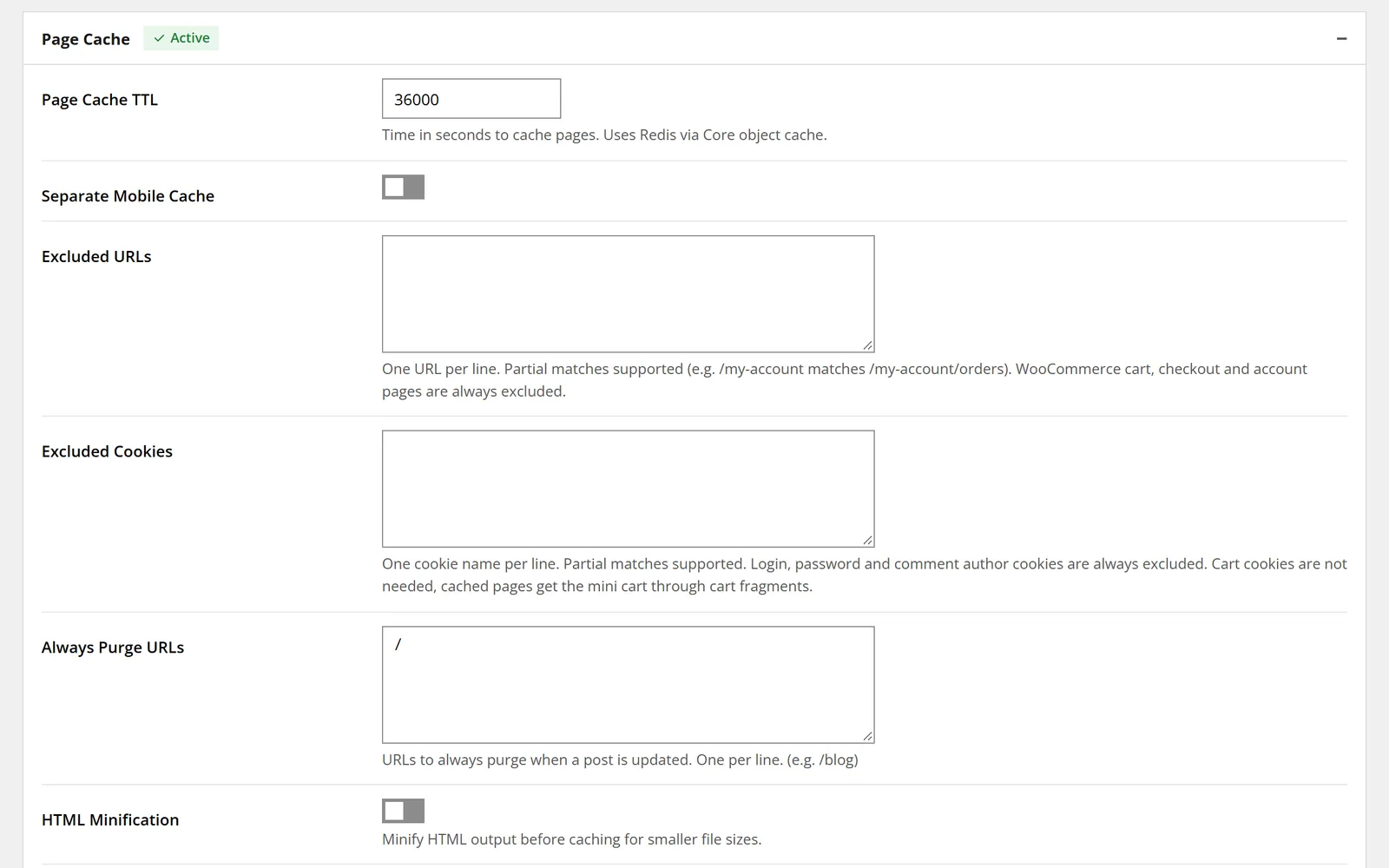
CachePilot caps the page lifetime at 43,200 seconds, 12 hours, whatever is entered in the settings. Autopilot uses 10 hours.
How do I check what happened to a page?
With the Debug module switched on, CachePilot adds a comment to HTML pages with the status of the page cache and the reason for a bypass, for example “WooCommerce page” or “Cart not empty”. Load the page in a private window and look at the end of the source. The Debug module is on the Modules page; the getting started guide covers the first steps. The benchmarks show what a cache hit costs on a live store: 33 to 54 ms time to first byte.
To run these rules on your shop, join the beta.
Sources
- plugin/pagecache-rules.php: cachepilot_pc_defaults() with 62 ignored parameters, 15 cacheable parameters, rejected URIs and bypass cookies; cachepilot_pc_decide() with the cart fragments rule; CACHEPILOT_PC_MAX_PARAMS = 6.
- plugin/modules/PageCache/PageCacheModule.php: shouldBypass(), getNoStoreReason(), wooCommerceRules(), MAX_PAGE_TTL = 43200, AUTOPILOT_TTL = 36000, PRICE_PROPS, FLUSH_HOOKS and registerInvalidationHooks().
- plugin/readme.txt, changelog 1.3.0 and 1.4.1.
- Live measurement of page cache hits, November 2026, as published on the benchmarks page.